Introduction
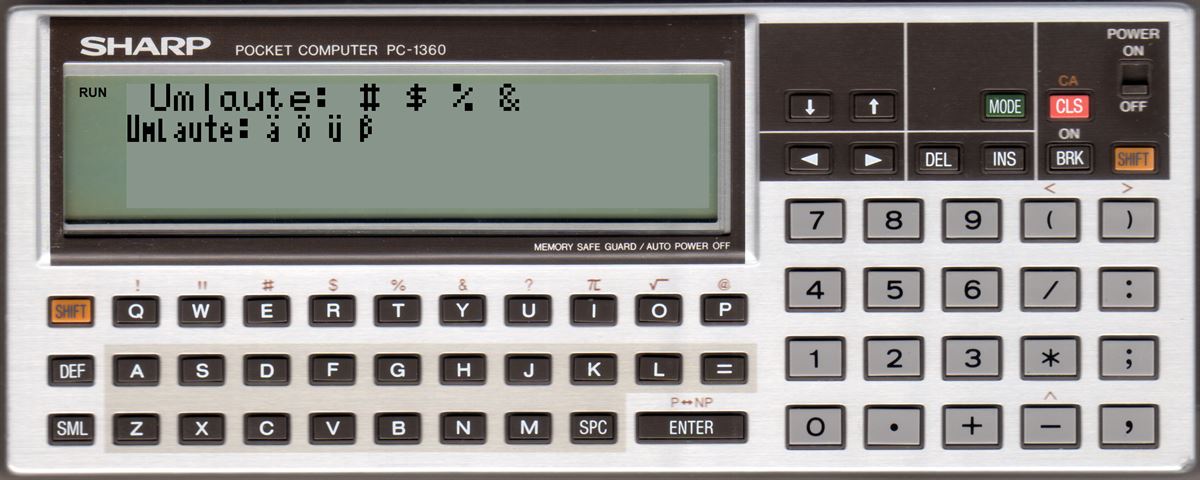
To display more than 24x4 characters on the display, I have developed a basic extension, which allows a text output with 37x4 characters.
Usage of the basic extension
PC-1350
Since all my programs are designed to use a 16 KB ram card in the PC-1350, the basic extension is loaded to the beginning of the internal ram. For this purpose, the basic must be configured only to use the ram card but not the internal ram:
MEM "C"
With this there are 3 KB memory less avalilable for basic programs and only the memory card is used for basic.
PC-1360
Since all my programs are designed to use a 32 KB ram card in the PC-1360, the basic extension is loaded to the beginning of this 32 KB. For this purpose, the start of the basic memory must be moved to &8800:
SET MEM "C"
POKE &FFD7,0,&88
NEW
With this there are 2 KB memory less available for basic programs and only one memory card can be used for basic.
Detection of PC-1350 or PC-1360 within a basic program
Basic programs using the basic extension only differ in the calling address for the extension. So you can detect the PC-1350 or PC-1360 within the program and only have one source file for both devices.
PEEK &FFF3=206
always returns in a PC-1350 (ROM v0 und v1) 206 (&CE), in a PC-1360 normally 249 (&F9) (FFF2/3 = start of standard variables PC-1360)
So without manually manipulating the system memory layout the standard variables always start at address F9xx when using MEM$ = "C"
100: IF PEEK &FFF3=206 THEN 130
110: PR=&8030:IN=&8033:TA=&8036:T2=&8039:CI=&803C:RE=&803F:FI=&8042
120: SA=&8045:LO=&8048: GOTO 150
130: PR=&6000:IN=&6003:TA=&6006:T2=&6009:CI=&600C:RE=&600F:FI=&6012
140: SA=&6015:LO=&6018
150: REM here starts the basic program
Example:
The following source code shows the usage of the new functions:
The program waits in display line 2 for the input of the user:
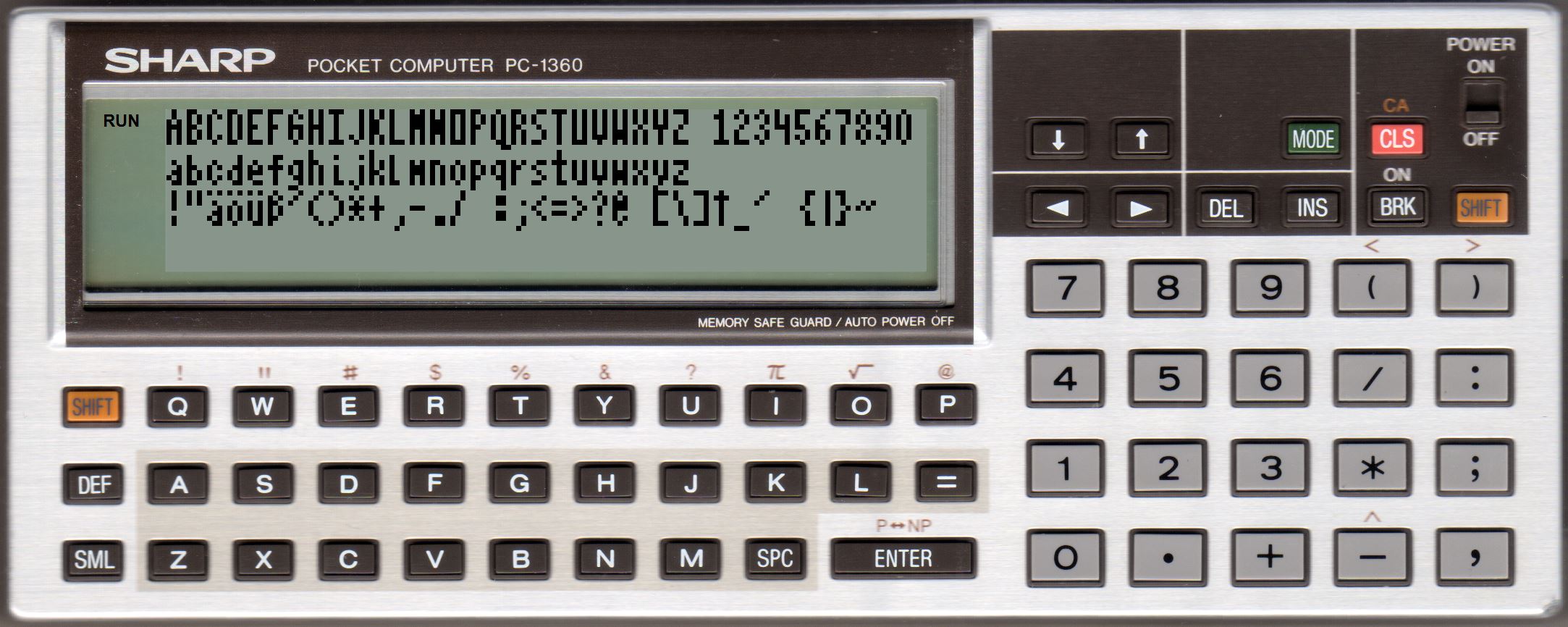
The following program displays the complete charset:
REM PC-1350: PR=&6000
PR=&8030
CLS: DIM ST$(3)*37
ST$(0)="ABCDEFGHIJKLMNOPQRSTUVWXYZ 1234567890"
ST$(1)="abcdefghijklmnopqrstuvwxyz"
ST$(2)=""
FOR I=33 TO 47:ST$(2)=ST$(2)+ CHR$ I: NEXT I:ST$(2)=ST$(2)+" "
FOR I=58 TO 64:ST$(2)=ST$(2)+ CHR$ I: NEXT I:ST$(2)=ST$(2)+" "
FOR I=91 TO 96:ST$(2)=ST$(2)+ CHR$ I: NEXT I:ST$(2)=ST$(2)+" "
FOR I=123 TO 126:ST$(2)=ST$(2)+ CHR$ I: NEXT I
CALL PR,0,0,ST$(0): CALL PR,0,1,ST$(1): CALL PR,0,2,ST$(2)
WAIT : GPRINT
Commands of the basic extension
The following commands are added by the basic extension:
X : 0..36 = X-position of the first char to display
Y : 0..3 = Y-position of the first char to display
Str$ : expression (type string)
; : sets the position of the next char at the end of the current string.
Without [Str$] the cursor position for the next call is set.
Without [;] the next print is shown in the next display line.
If a char should be printed in line 5 the display is scrolled one line.
Configuration of "WAIT" odr USING-format is ignored.
If you want to display a number you have to convert it to a string by yourself (e.g. with STR$)
Len: max number of chars for the input.
Str$: name of a two char string variable, where the input is stored.
Str$ must be defined in the basic program before calling Input 37x4 (e.g. IN$ = "")
It's in the responsibility of the caller not to allow longer input than the variable can store. Simple two char string variables (e.g. IN$) can store up to 16 chars, a array string variable (e.g. DIM IN$(2)*80) can store up to 80 chars.
The input is started at the current cursor position set with Print 37x4.
You can't set a default text for the input, the content of Str$ is ignored and will be overwritten bei Input 37x4.
The keys BRK and ENTER will end the input.
INKEY without SML - T$ = key (all keys)
Usage:
PC-1350: CALL &6006
PC-1360: CALL &8036
Waits for a key press and stores the ASCII code of the key in the standard variable T$
All keys of the PC-1350/PC-1360 will return a value (e.g. Shift or the cursor keys)
The following ASCII values will be returned for special keys:
&02 = CLS
&03 = CLS (if SHIFT is active)
&04 = cursor up
&05 = cursor down
&06 = ENTER (if SHIFT is active)
&07 = BRK
&08 = MODE
&09 = SML (if SML is active, PC-1360 only)
&0B = INS
&0C = DEL
&0D = ENTER
&0E = cursor right
&0F = cursor left
&10 = SHIFT
&12 = DEF
&13 = cursor left (if SHIFT is active)
&14 = cursor right (if SHIFT is active)
&15 = SML (PC-1350)
&16 = SML (PC-1360)
&1E = SHIFT (if SHIFT is active, PC-1360 only)
INKEY with SML - T$ = key (incl. shift/sml assignment)
Usage:
PC-1350: CALL &6009
PC-1360: CALL &8039
Waits for a key press and stores the ASCII code of the key in the standard variable T$
Shift/SML keys are handled so it returns upper/lower case keys or chars where Shift is needed for.
Address: memory adsress where a screen was saved (600 byte)
Copy 600 byte from memory to the display ram. The memory must be in the same order like used by the display ram.
OLD - recover a basic program deleted with NEW
Usage:
PC-1350: CALL &601B
PC-1360: CALL &804B
Undelete of a basic program, that was deleted with NEW.
It only works, if there was no input (manual of load) of another basic program, if the basic start (FFD7/FFD8) was noch changed and if the (deleted) basic programm was not created by a MERGE of different programs
Also note that the first line of the undeleted basic program will have a line number <= 255. When the original number of the first line was larger you must change it manually.
The hibyte of the line number is overwritten by the NEW command.
DEC -> HEX - convert decimal -> hex, only in direct mode
The call will only work in input mode (RUN oder PRO) but not within a basic program.
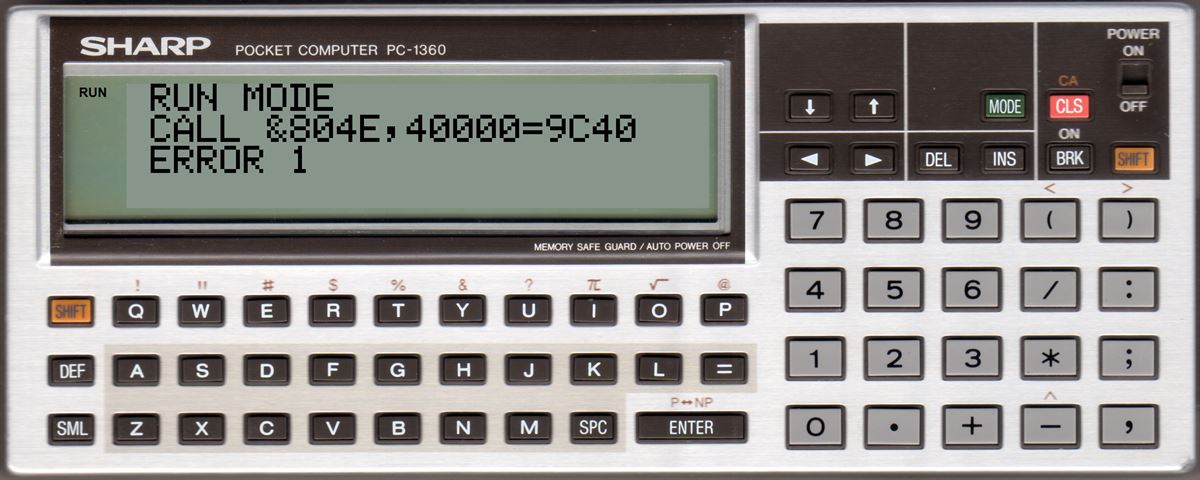
The hex value of "Number" will be shown after the decimal value and the call is ended with an "ERROR 1"
Example:
CALL&804E,40000
Enter
You either can press <cursor left> to enter a new decimal value or"CLS" to end the command.
PC-1350:
There are two different versions of the basic extension for ROM version v0 and v1 of the PC-1350. The basic extension will not work with other ROM versions.
PC-1360:
The basic extension only was tested with PC-1360 with ROM version 3 or 5 and meight not run with another ROM version.